One Stop Order Processing

One Stop Order Processing |
|
Downloading Orders from X-Cart
1 Login
into your website in the admin folder (e.g. www.mywebsite123.com/admin)
If you are using X-Cart 4 use the following link : Exporting X-Cart 4 orders . If you using X-Cart 5 link on the following link: Exporting X-Cart 5 orders
Exporting X-Cart 4 orders
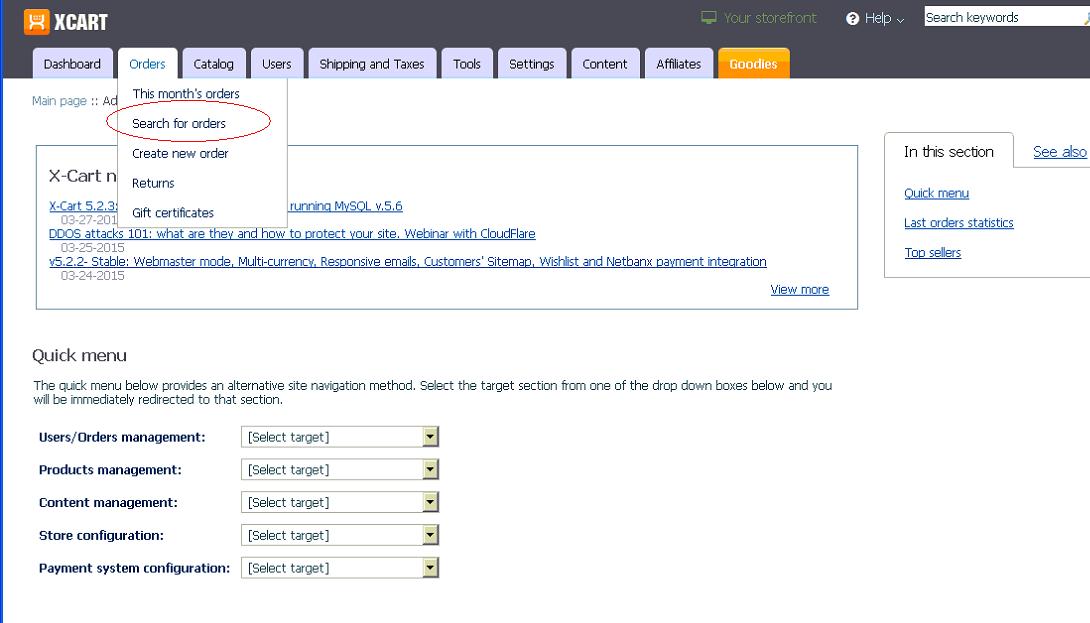
2 Click on Seach for orders under the Orders section, shown below:
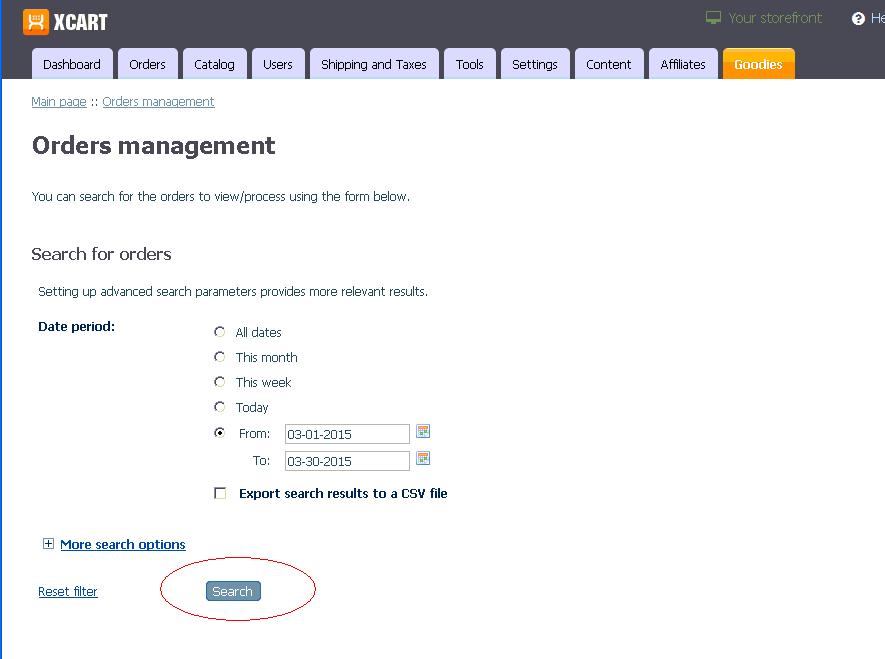
3 In the Orders management/Search for orders section select the Date period that you want orders and click on the Search button, shown below:
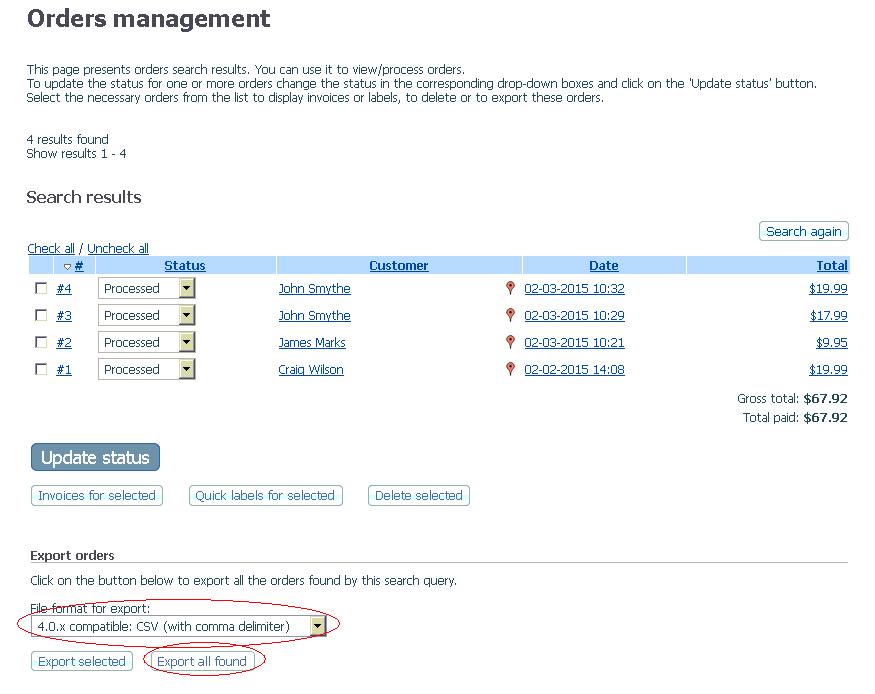
4 The orders found are shown. Under the File format to export, select 4.0.x compatible: CSV (with comma delimiter) and click on the Export all found button. An example is shown below.
5
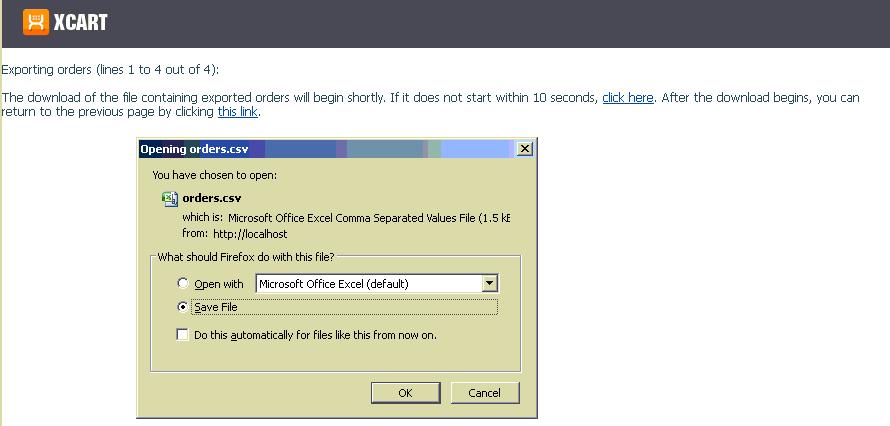
Select Save and save the file to C:\Downloads. An example of the screen is shown below:
6 You are now ready to import the orders into One Stop Order Processing.
Exporting X-Cart 5 orders
7
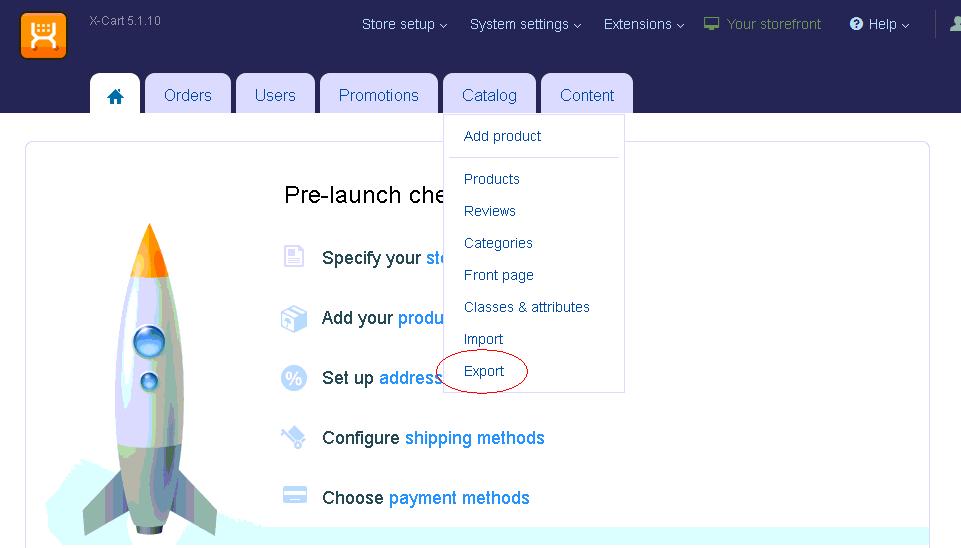
Click on Export under the Catalog section, shown below:
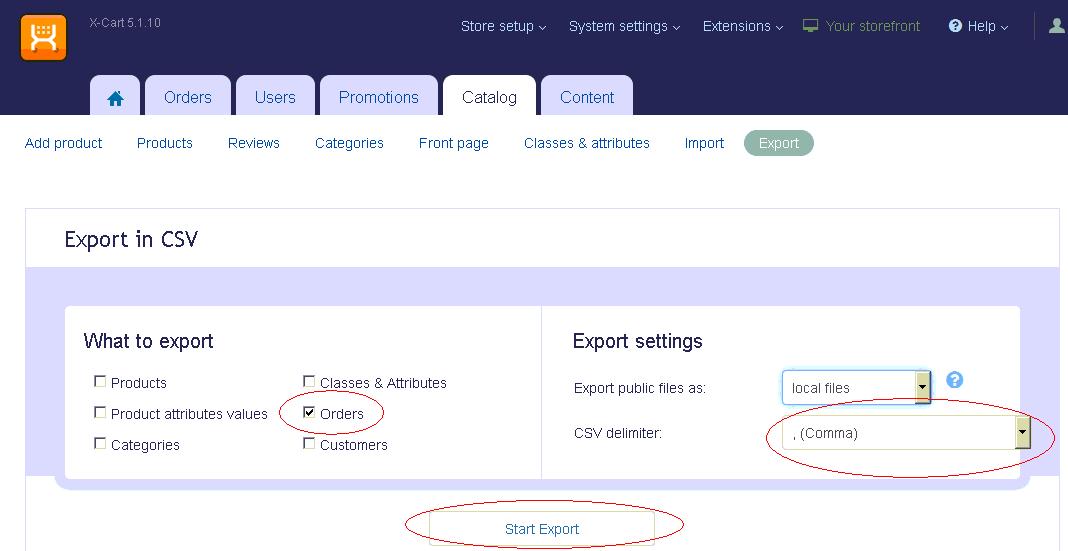
8 In the Export to CSV section select Orders and the CSV delimiter as , (Comma) and click on the Start Export button, shown below:
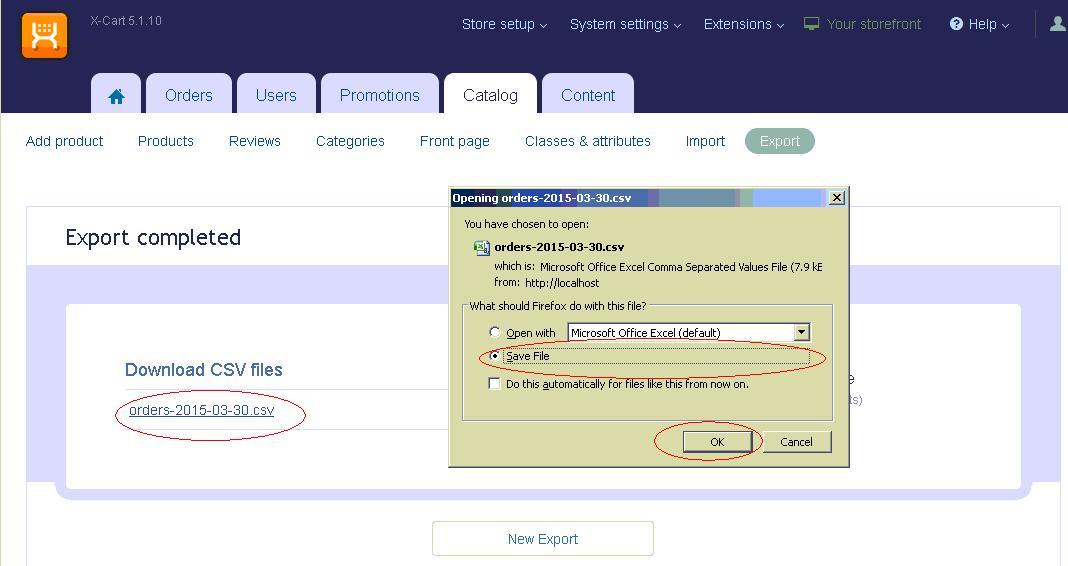
9 The orders export file is the created. Once the orders file has been created click on the orders file link. Select Save and save the file to C:\Downloads. An example is shown below.
10
You are now ready to import the orders into One Stop Order Processing.
One Stop Order Processing allows you to import and process orders for Ebay, Amazon, SellerDeck, Shopify, Magento, osCommerce, BigCommerce, RomanCart, eBid, XCart, Oxatis, Groupon, Wowcher, Paypal, Cdiscount. ekmpowershop, Etsy, Flubit, OpenCart, PinnacleCart, PrestaShop, WooCommerce, Weebly, ChannelAdvisor, ASOS Marketplace, OnBuy, Mighty Deals , Mail Order and Telephone Sales
Mole End Group of Companies |
|||||
| Products, plugins and utilities for SellerDeck | All your orders, from all your systems, all together in one simple-to-use application | Integrated label invoice paper and free software packages and templates. Print your invoice and labels at the same time | Print Amazon Despatch Notes with a peel out label with the customer's details on directly from Amazon | Print Ebay Invoices with a peel out label with the customer's details on directly from Ebay | |