1. Login into your acccount, select the Orders->Orders menu option, shown below:

You download your
orders from Rakuten.
1. Login into your acccount, select the Orders->Orders menu option, shown below:
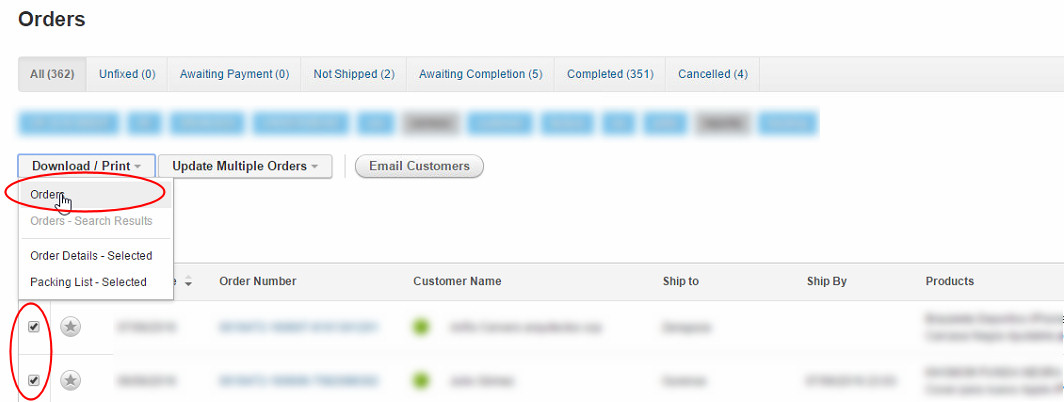
2. Tick the required orders and select the Download/Print->Orders menu option, shown below:
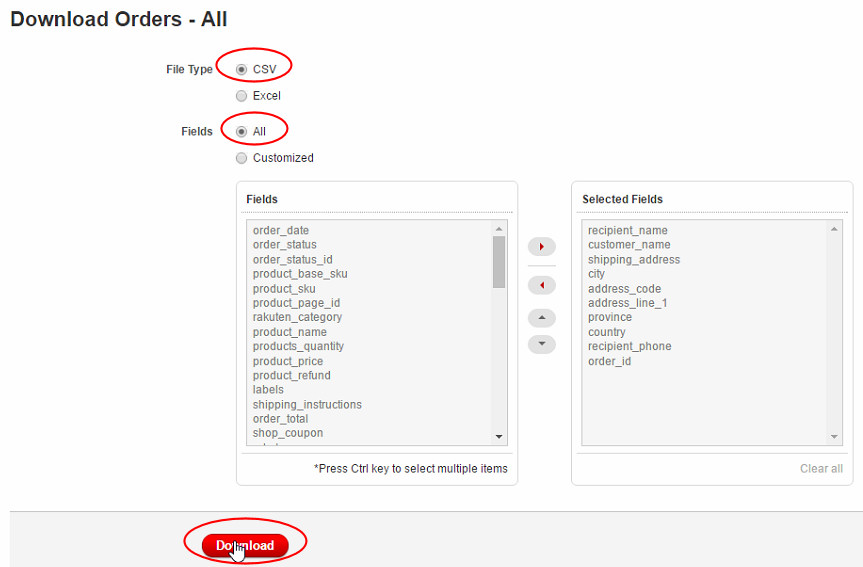
3. Select the CSV File Type and All Fields and click on Download, shown below. You should click
Save and save the file (e.g. orders-20160607125337.csv)
to a location on your PC, for example, C:\Downloads.
4. You are now ready
to import the orders into One Stop Order Processing.