 ). This will display the Export orders details
dialog, shown below.
). This will display the Export orders details
dialog, shown below.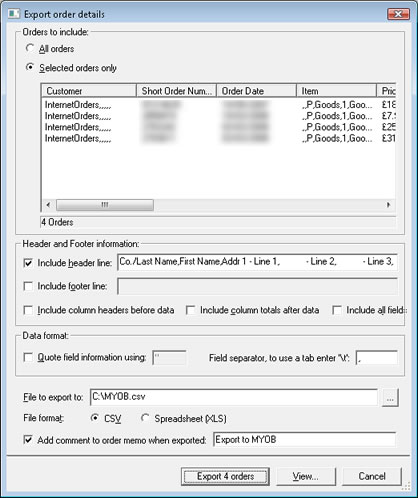
This solution uses
One
Stop Order Processing and MYOB
Accounting
You can import your Ebay, Amazon, SellerDeck, Shopify, Magento, osCommerce, BigCommerce, RomanCart, eBid, XCart, Oxatis, Groupon, Wowcher, Paypal, Cdiscount. ekmpowershop, Etsy, Flubit, OpenCart, PinnacleCart, PrestaShop, WooCommerce, Weebly, ChannelAdvisor, ASOS Marketplace, OnBuy, Mighty Deals , Mail Order and Telephone Sales into MYOB Accounting as a series of Item
Sales, into a selected account. All orders are imported as a single customer
(InternetOrders) for a single product (Goods). The total invoice
cost and VAT is split into the relevant accounts.
The following instructions explain how to set this up.
1 If the MYOB view isn't available you can Import the MYOB.mev
view from the installation directory (e.g. C:\OSOP\Main). Or download from here:
2 Click
on the Export Orders button (). This will display the Export orders details
dialog, shown below.
Click on the Export
orders button.
This will create a csv file in the root of drive C. You can change this location.
3 Start MYOB Accounting
4 Create an Income account called InternetSales, shown below:
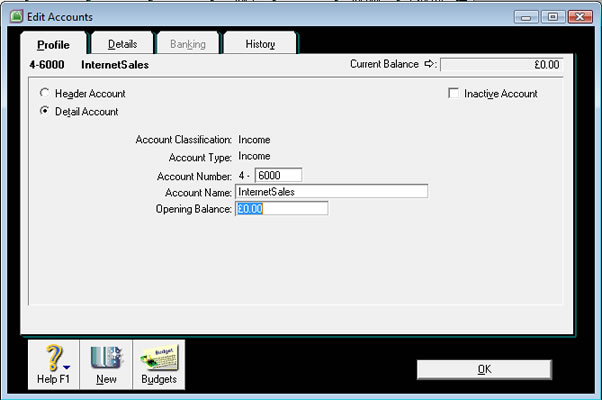
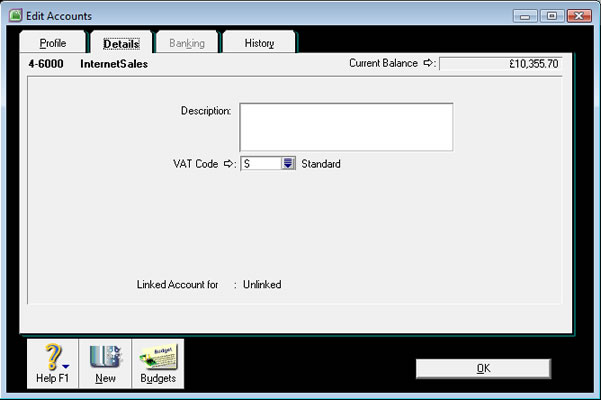
5 Click on the Details tab and select the relevant VAT code.
6 Create a new customer called InternetOrders.
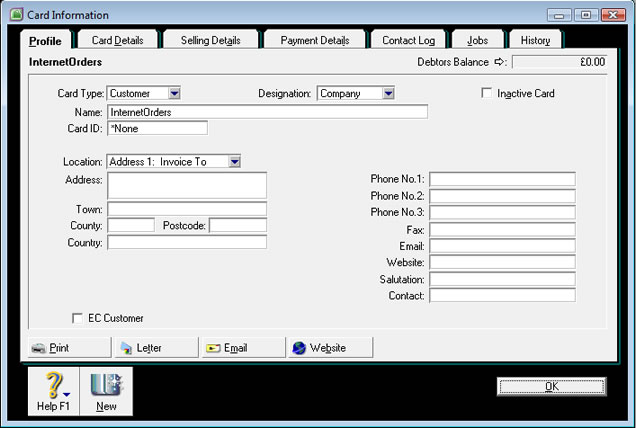
You only need to enter the Name.
7 Create a product called Goods.
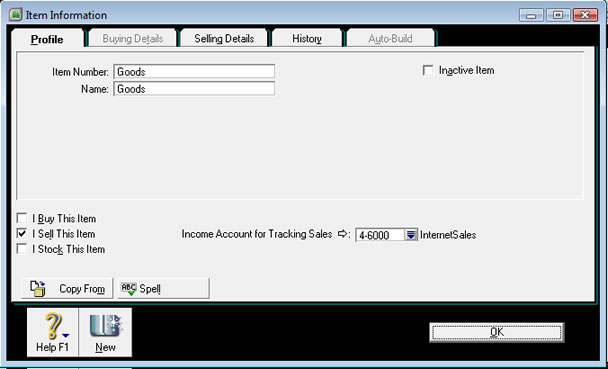
You need to enter the name of the product as Goods and also tick I
Sell This Item. Change the Income account to InternetSales.
8 Select the File->Import Data->Sales->Item Sales menu
option.
9 Change the Import File Format to Comma-separated, shown
below:
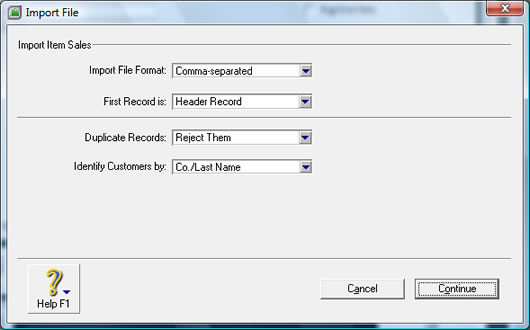
Click on Continue.
10 Select the file to import (in this example C:\OSOP\MYOB.csv) and click
on Open.
11 Click on Match All to map the fields, shown below:
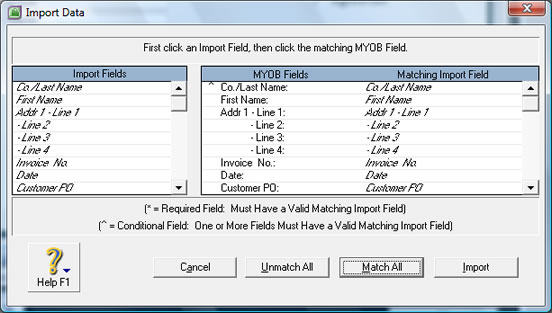
Click on Import.
12 The orders should then be imported.